 MileMatrix
Every vehicle, every driver, one screen.
Fleet Manager is the web side of MileMatrix. Each phone keeps doing its job, and the workspace collects what they all produce.
The overview a manager actually opens
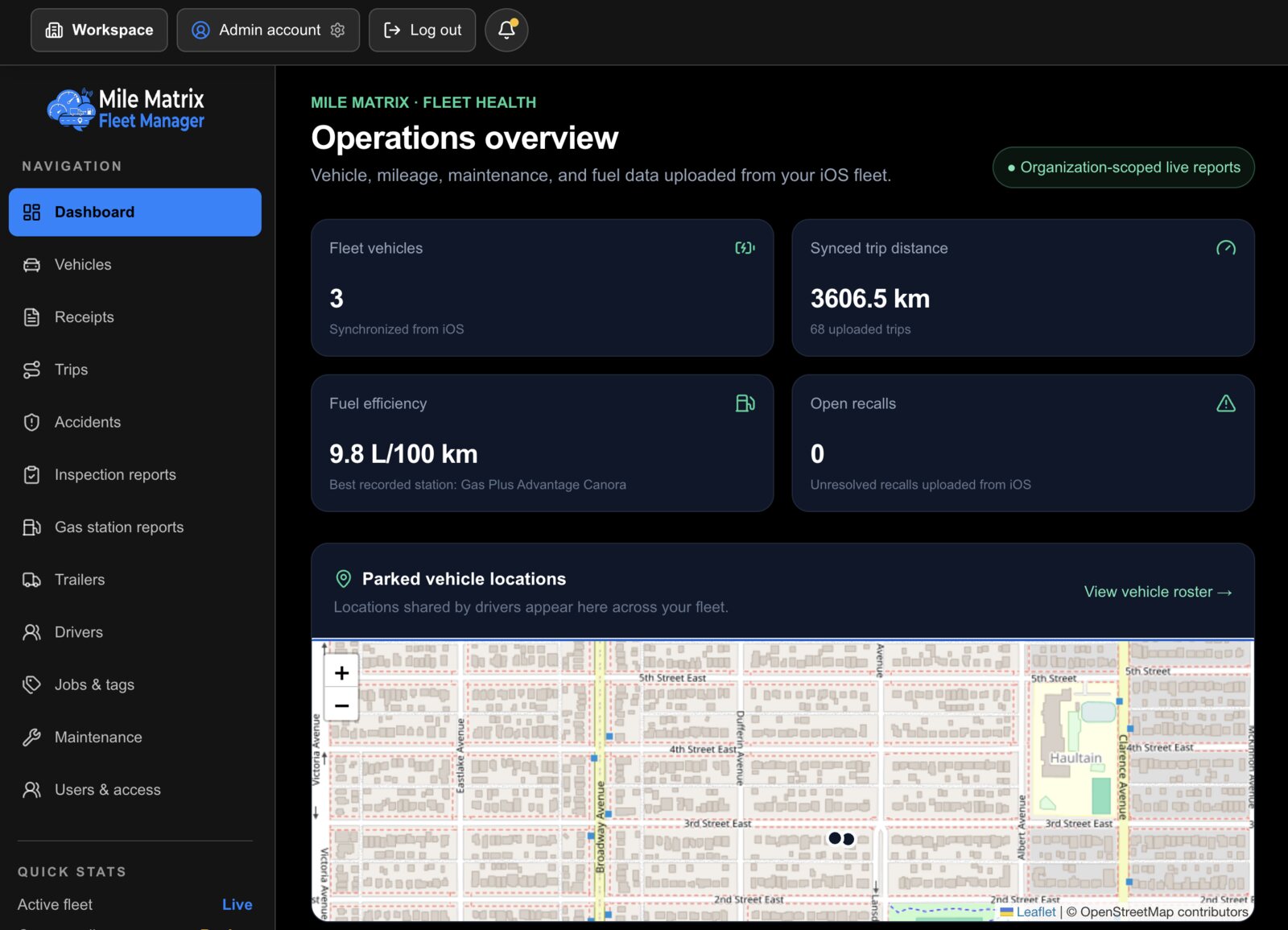
Fleet totals on top, vehicle locations underneath. It answers the two questions people ask first: what does the fleet cost, and where is everything.
- Vehicle count, synced trip distance, fuel efficiency, and open recalls at a glance.
- Parked vehicle locations on one map, from the drivers who share them.
- Figures come from the phones, so the dashboard is never a manual spreadsheet.
- Scoped to your organisation. One workspace does not see another.
What it holds
The whole vehicle history, not just the trips.
Each record is created once on a phone and appears in the workspace. Nothing is entered twice.
Trips
Distance, purpose, and status for every drive uploaded from a connected phone.
Receipts
Fuel, maintenance, car wash, parking, and fines, with the photo and the location attached.
Maintenance
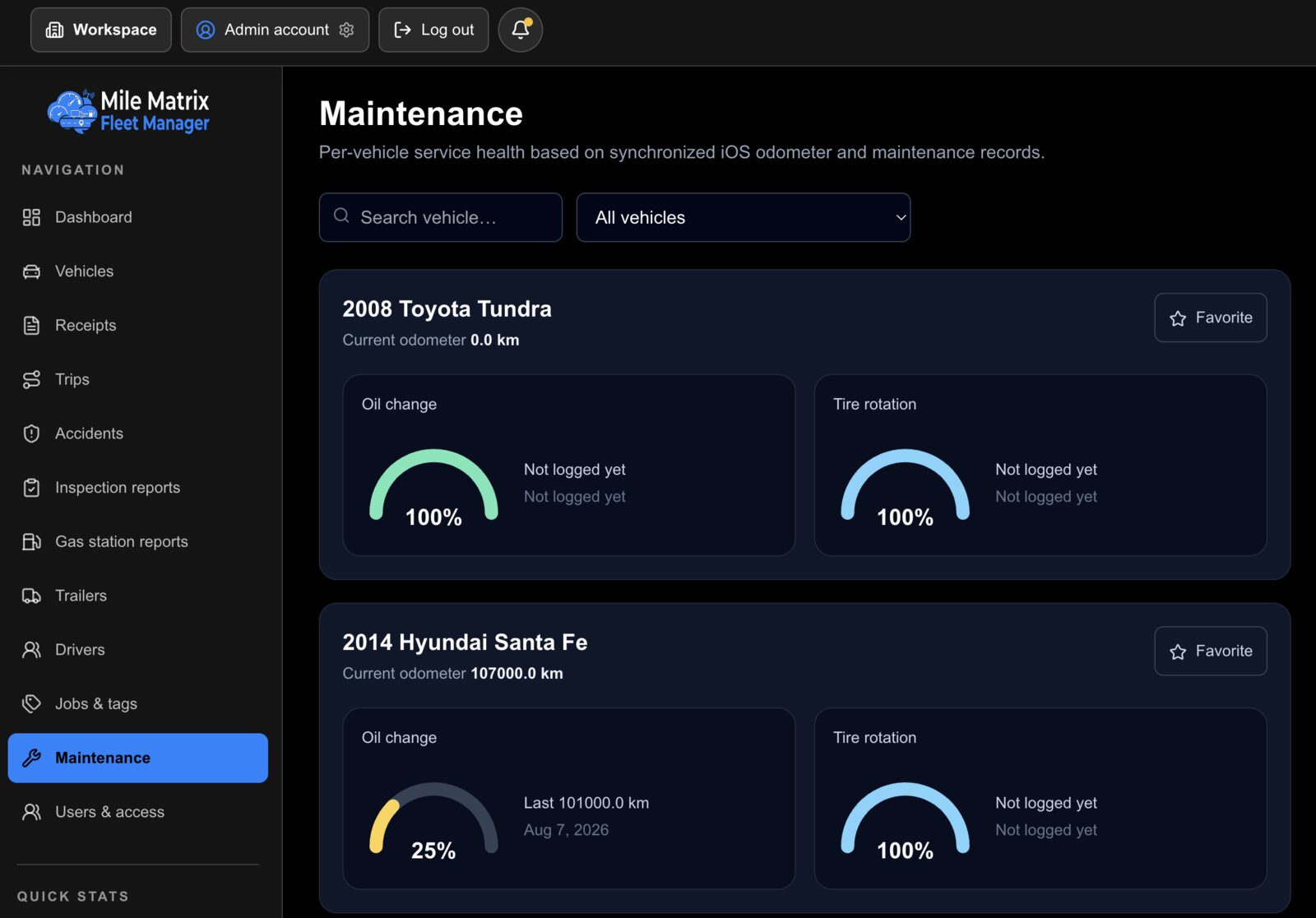
Service health per vehicle, worked out against the odometer readings coming in from the app.
Inspections
Walkaround reports filed by drivers, kept per vehicle and per date.
Recalls and accidents
Open manufacturer recalls and incident records, so nothing outstanding gets lost.
Drivers and access
Drivers, trailers, job tags, and who in your organisation can see what.
Receipts with the evidence attached
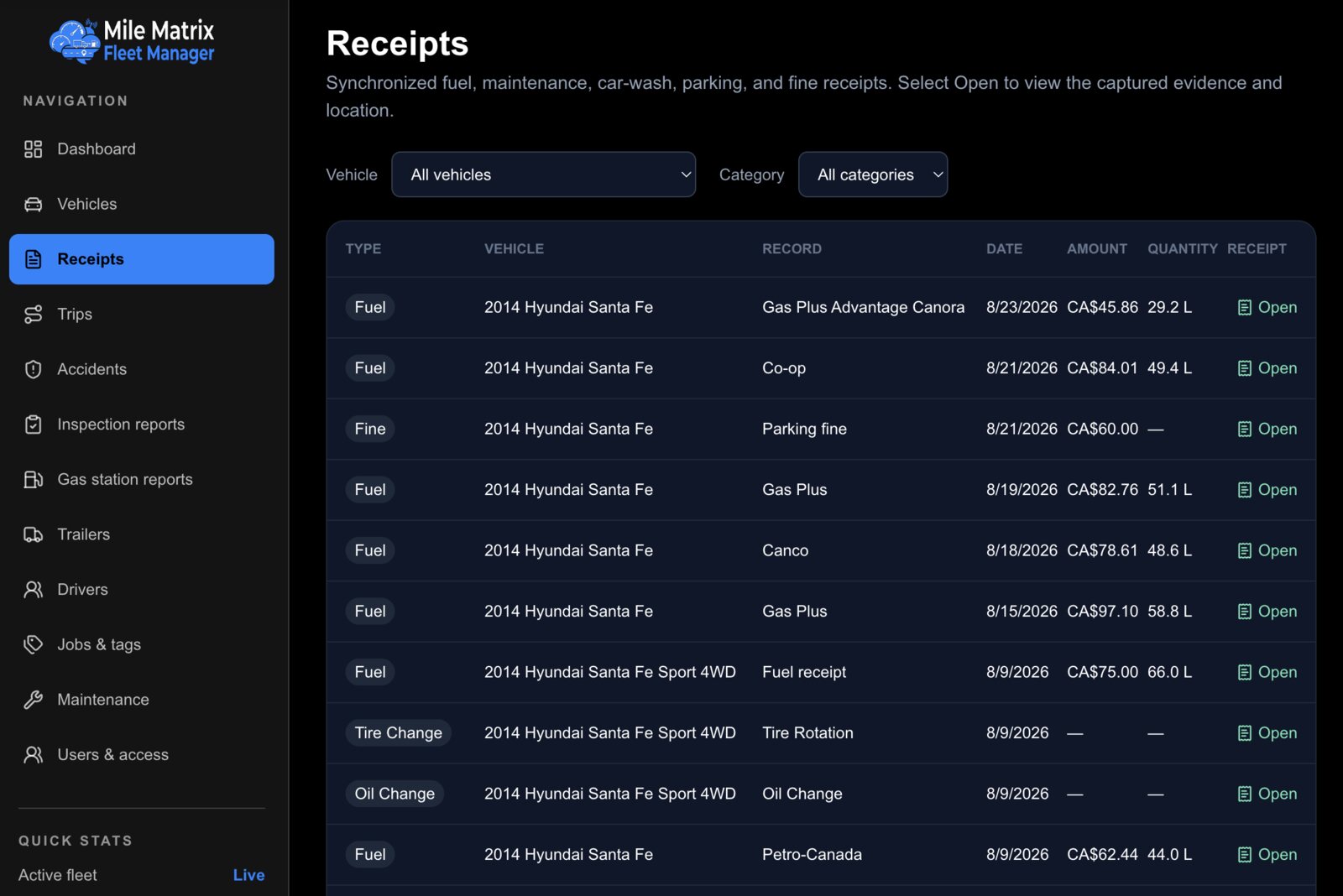
Every fuel, maintenance, parking, and fine receipt lands in one filterable table, with the captured photo and the location it was bought at one click away.
- Filter by vehicle or by category to answer a single question fast.
- Amount and quantity on every row, in the currency it was paid in.
- Open any row to see the original photo the driver captured.
- Export a period when the bookkeeper asks for it.
Service health from odometer readings, not memory
Because the app is already recording odometer values at every fill-up, Fleet Manager can tell you how much life is left on an oil change or a tire rotation without anyone logging it separately.
- A per-vehicle gauge for each service interval you track.
- Last service distance and date carried straight from the app.
- Vehicles with nothing logged yet are shown as such rather than guessed at.
- Favourite the vehicles you check most so they sort to the top.
Who it is for
Anyone responsible for more than one vehicle.
Small businesses
Know what each vehicle costs to run, and get mileage records for every employee without chasing anyone.
Families
Two parents, three cars, and a teenager. One place to see where the money and the mileage went.
Contractors and crews
Trucks, trailers, job tags, and inspection records in the same workspace as the fuel spend.
How syncing works
Three steps, and only the first one is work.
Create the workspace
Set up your organisation in Fleet Manager and invite the people who need to see it. Roles decide who sees what.
Connect each phone
Every driver links their MileMatrix app to the workspace once. Their vehicles and history come with them.
Let it fill up
Trips, receipts, maintenance, and inspections upload as they happen. The dashboard stays current on its own.
Interested in Fleet Manager?
It is being finished alongside the app. Tell us the size of your fleet and we will get in touch when it opens.