Get MileMatrix

Everything MileMatrix does.

Built for drivers who have to produce records later: for a tax return, a reimbursement claim, a buyer, or a boss.

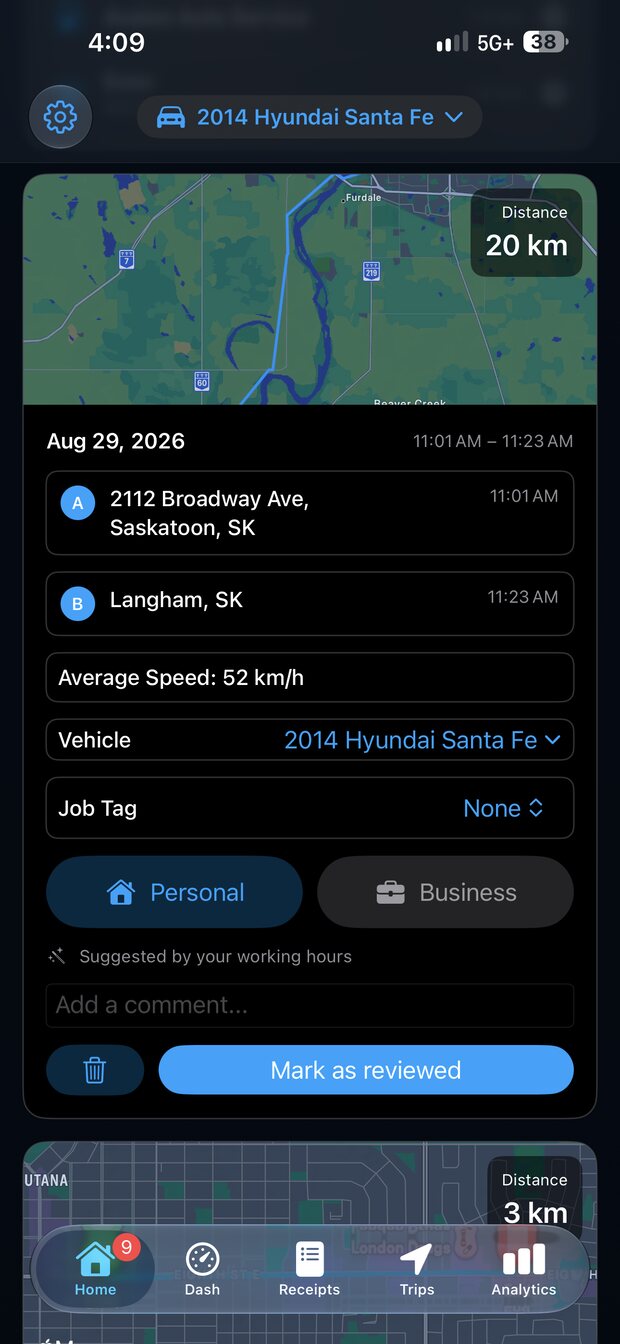
Automatic trip tracking

MileMatrix uses the iPhone's motion activity to recognise that a drive has begun, then records it from start to finish without being told.

  • No start or stop button to remember at either end of a trip.
  • Four purposes to classify by: Business, Personal, Medical, Charity.
  • Distance, duration, average and top speed, road type, and endpoints per trip.
  • Job tags, comments, and a toll flag for the trips that need them.
A recorded trip waiting to be tagged as personal or business, with a suggestion based on working hours

Receipt and odometer scanning

Photograph the pump receipt and MileMatrix pulls out what matters. Point it at the dash and it reads the odometer the same way.

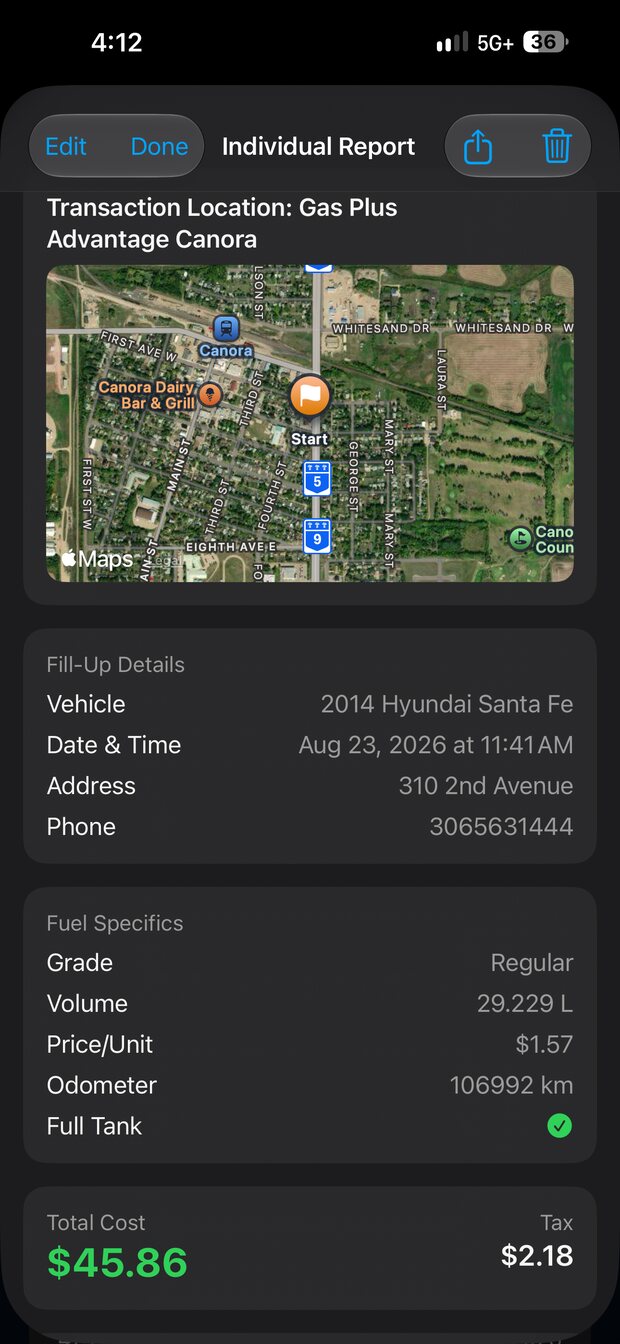
  • Reads total cost, price per unit, and volume off the receipt.
  • Every scanned value is shown for you to confirm or correct before saving.
  • Text recognition runs on the device. No photo is sent anywhere for processing.
  • Real fuel economy per vehicle is recalculated from each confirmed fill-up.
A saved fill-up record showing station, volume, price per unit, odometer, total cost, and tax

Fuel quality, measured instead of guessed

The reason the app exists. Every fill-up records the distance that tank actually covered, so the stations you buy from can be compared on what they return rather than what they charge.

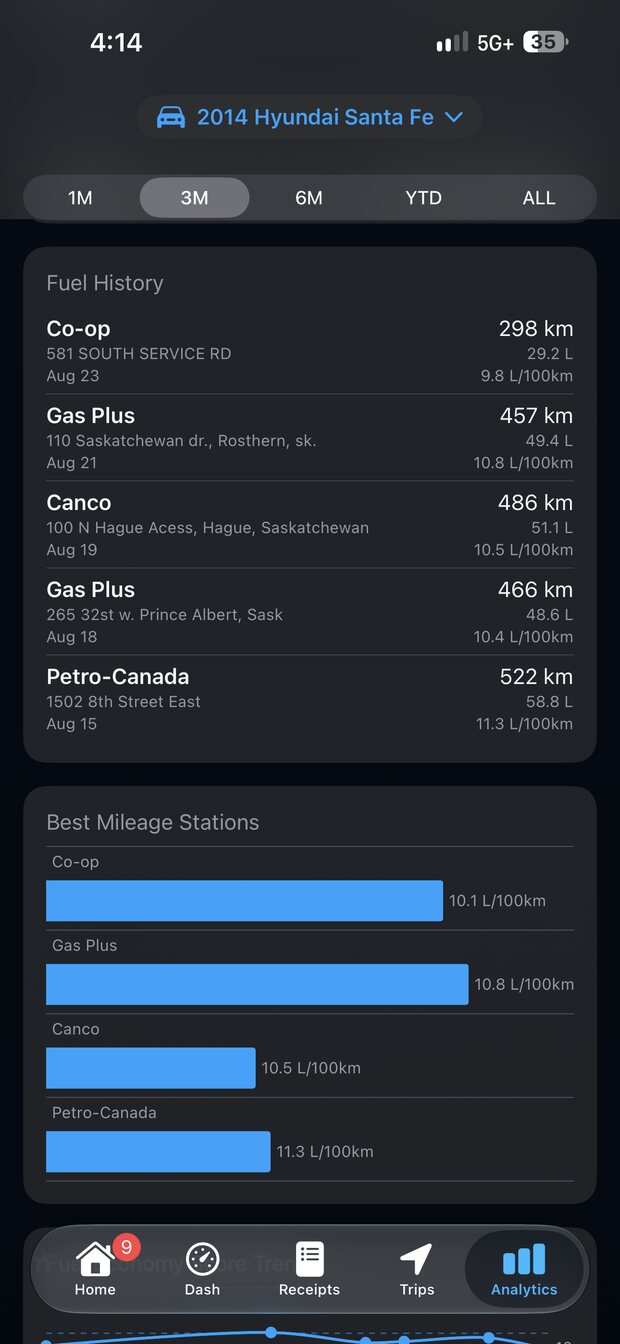
  • Distance per tank measured odometer to odometer between fill-ups.
  • Economy ranked per station, from the places you actually buy fuel.
  • Price per unit kept on every fill, so cheap fuel that costs distance is obvious.
  • Set against the figure the manufacturer quotes for your vehicle.
  • An unexplained drop in economy is an early sign the vehicle needs looking at.
Fuel history by station with distance and litres per 100km per fill-up and a best mileage stations chart

Every record type

More than mileage.

A vehicle accumulates paperwork from a dozen directions. MileMatrix keeps each kind in the same history.

Trips

Distance, duration, speed, road type, weather, and purpose.

Fuel

Volume, price per unit, total, station, and calculated economy.

Maintenance

Oil changes, tire rotations, and service against the odometer.

Inspections

Walkaround checks on fluids, tires, and lights, shareable as PDF.

Parking and fines

The small receipts that otherwise never make it into a log.

Accidents

Guided incident reporting, gathered at the scene and shareable as one document.

Documents

Licence, insurance, and registration, ready to show or send in an emergency.

Equipment

Tire size, battery, bulbs, and wiper blades, kept per vehicle.

VIN and recalls

Decode the VIN and check open manufacturer recalls across eight regions.

The rest of it

Vehicles, sync, and hands-free entry.

Multiple vehicles, each with its own units

Add every vehicle you drive and give each one its own distance and volume settings. A Canadian driver filling up in the United States can run one vehicle in kilometres and litres and another in miles and US gallons, with Imperial gallons available where that is what the pump means. Fuel economy is calculated in the units that vehicle uses, so the number matches what you would work out on paper.

Distance

Miles or kilometres.

Volume

US gallons, Imperial gallons, or litres.
Google Sheets and Drive sync

Each vehicle syncs to its own Google Sheet in your account, with receipt photos backed up to Drive. Your records stay readable and exportable even when the app is not in front of you.

Siri and Shortcuts

Log a fill-up out loud while you are still at the pump. Because a fill-up is a financial record, MileMatrix repeats the details back and waits for you to confirm before saving. Shortcuts can wire the same actions into your own automations.

Made to stay open while you drive.

A mileage log you have to remember to open is a mileage log you stop using. So there are reasons to leave it running: a dashboard worth glancing at, radio worth listening to, and a look you picked yourself.

Radio, built into the dashboard

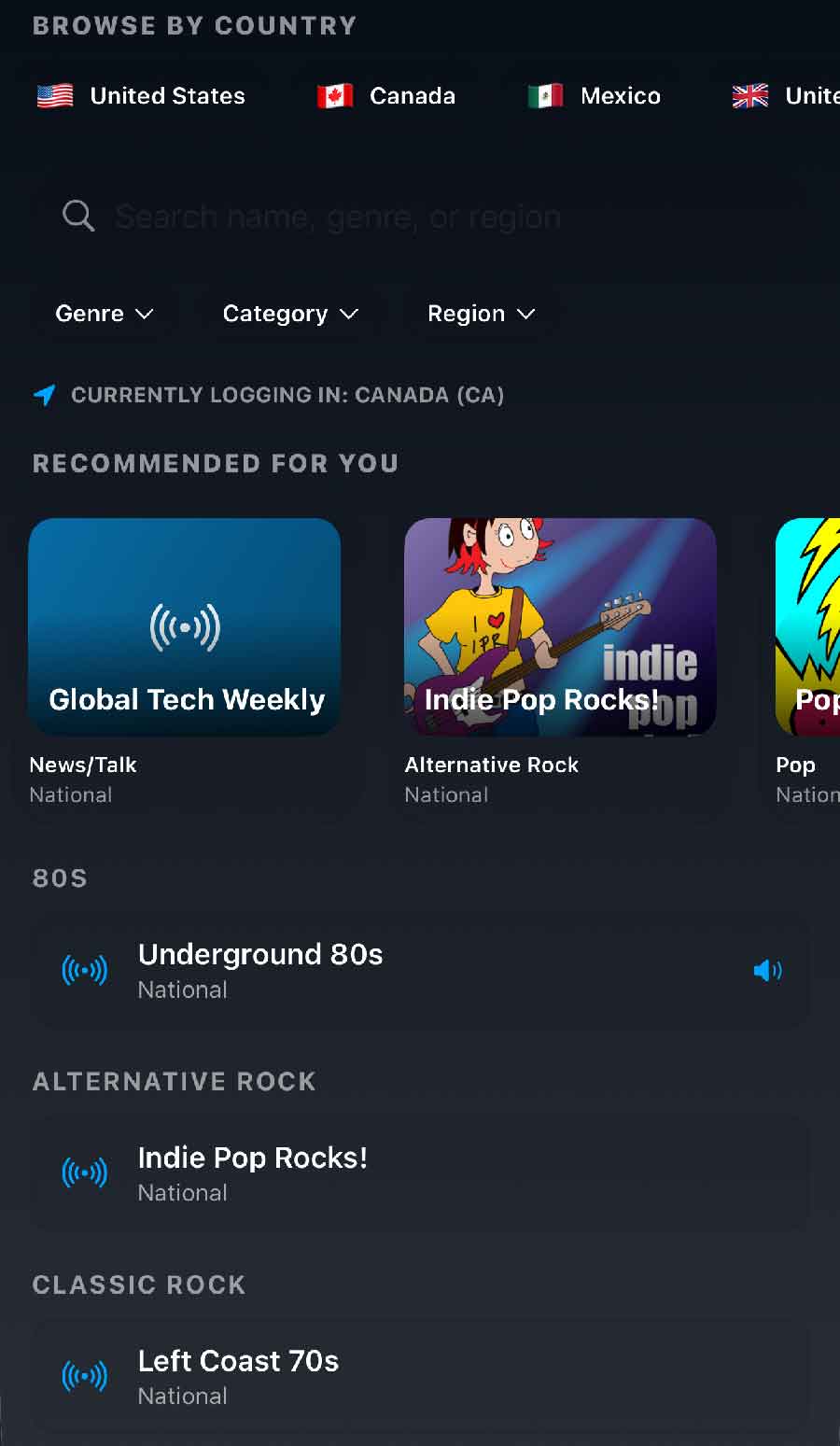
Browse stations by country, genre, region, or name, with recommendations for wherever you happen to be logged in. The countries line up with the languages the app speaks, so the list makes sense wherever the truck is, and the genres run from news, talk, and sports through to music. It plays alongside the trip that is already recording itself, so there is no reason to leave the app halfway through a drive to find something to listen to.

  • Stations from the countries behind the languages the app speaks, starting with the United States, Canada, Mexico, and the United Kingdom.
  • News, talk, sports, and music, whether you want the headlines, the game, or a long stretch of songs.
  • Filter by genre, category, or region, or search by name.
  • Recommended for you, based on the country you are currently in.
  • Save the ones you keep coming back to as favourites, and they stay one tap from the dashboard.
  • It all happens in the app, so a station change never interrupts the trip that is recording.
80s Alternative Rock Classic Rock Country News and Talk Sports Pop
The MileMatrix radio player showing Underground 80s playing, with a progress bar and station artwork
The player sits on the Dash screen, under the speedometer and the conditions.

Seven languages

The whole app, not just the menus. Useful in a crew where not everyone reads the same one.

English Français Español Deutsch Português Italiano Nederlands

Themes you can build yourself

Several colour themes ship with the app, and you can create your own if none of them suit the light in your vehicle.

Small tools that save a search.

Built in, because working them out on a phone browser at a gas station is worse.

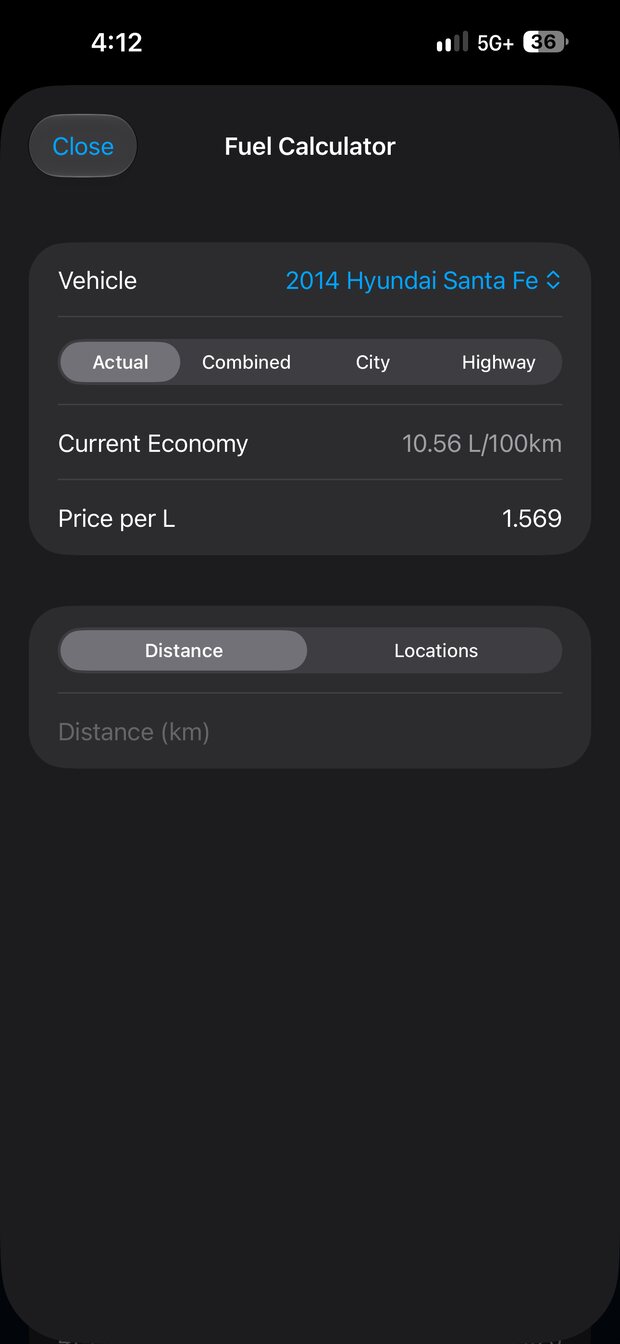
The fuel calculator showing current economy and price per litre for a vehicle
Fuel calculatorWork out cost or economy for a trip before you take it.
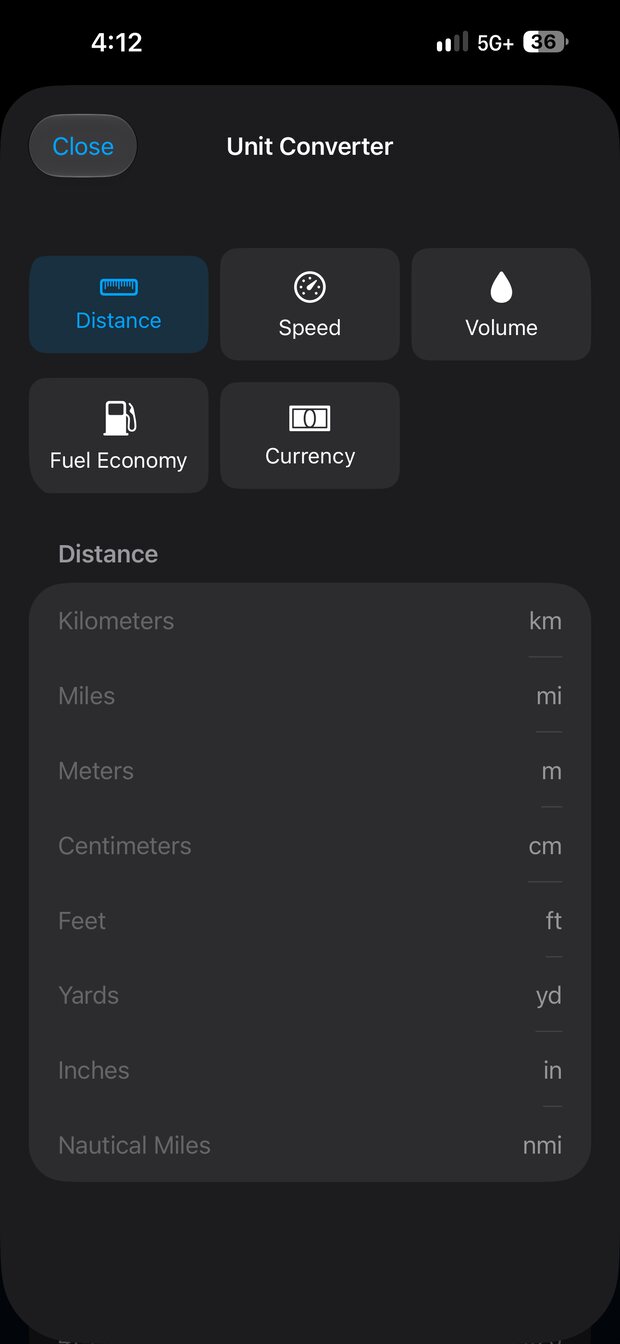
The unit converter with distance, speed, volume, fuel economy, and currency modes
Unit converterDistance, speed, volume, economy, and currency in one sheet.
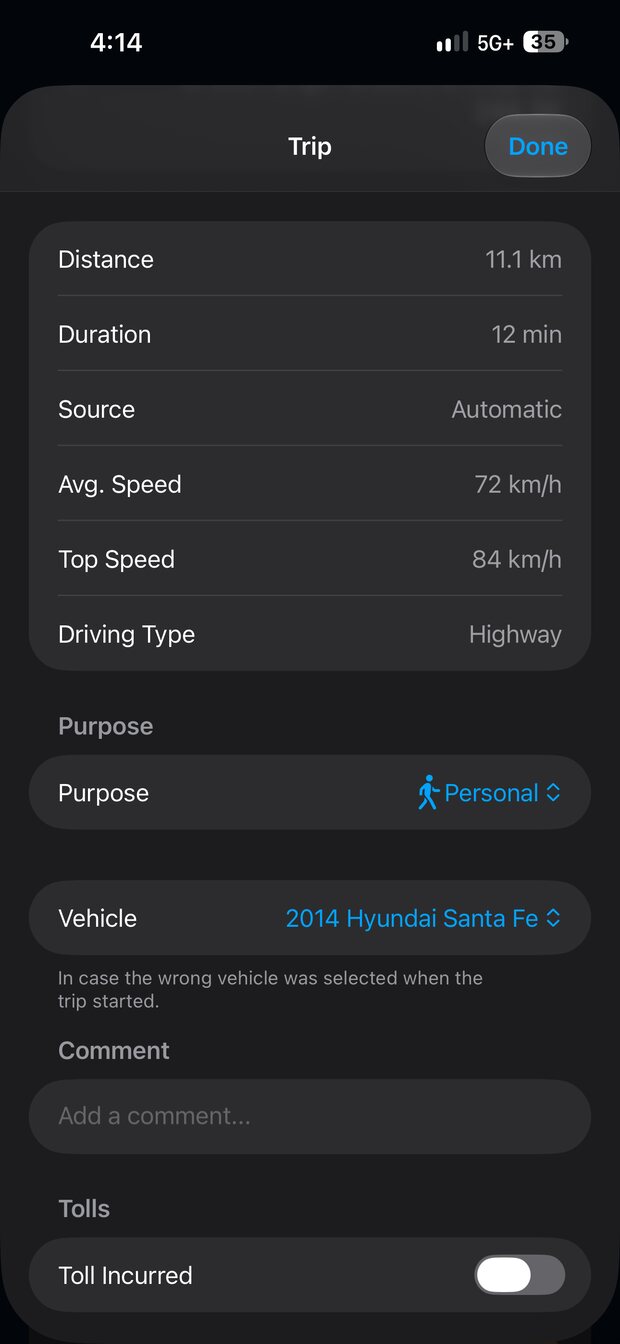
Trip detail showing distance, duration, speeds, driving type, and weather
Trip detailEvery trip keeps its speeds, road type, and the weather it happened in.
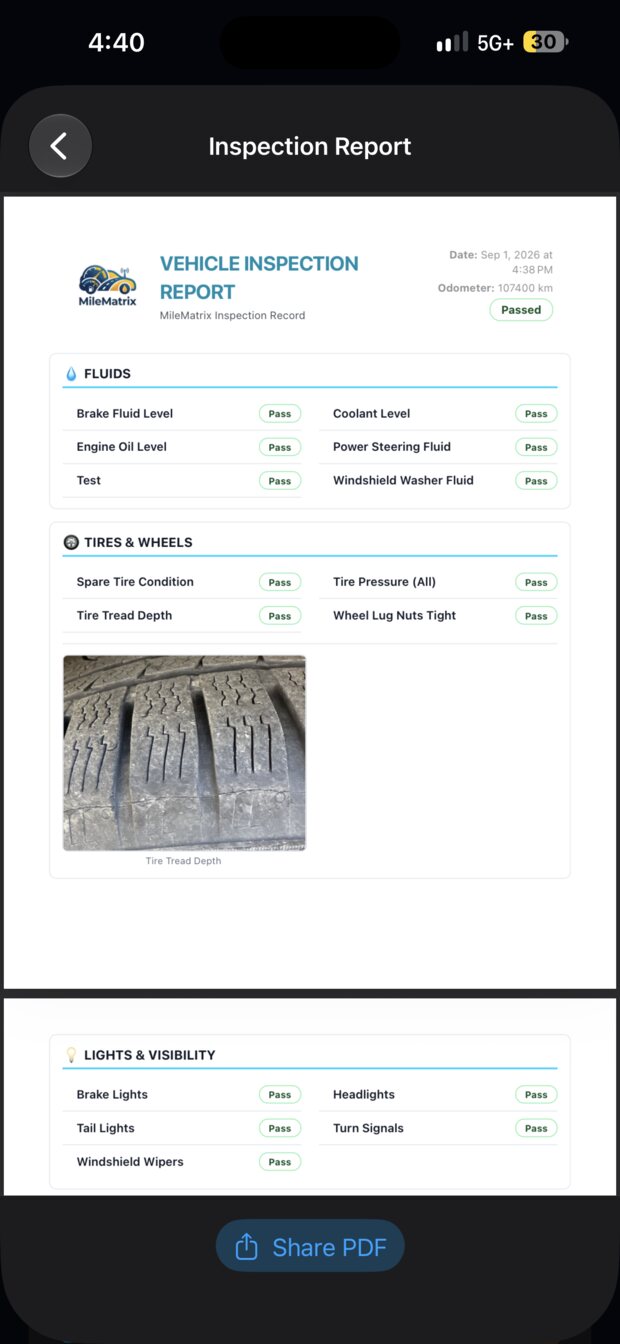
A completed vehicle inspection report marked as passed
Inspection PDFHand a mechanic or an employer a signed off walkaround.

Sync to a fleet, or do not

The app is complete on its own. Connect it to a MileMatrix Fleet Manager workspace and the same records also become visible to whoever manages the vehicles.

  • Standalone by default, with Google Sheets as the only backup you need.
  • Connect to a workspace and trips, receipts, and maintenance upload automatically.
  • One workspace can take in several phones, so a family or a crew sees one roster.
  • Disconnect at any time. The records on the phone stay where they are.

See Fleet Manager

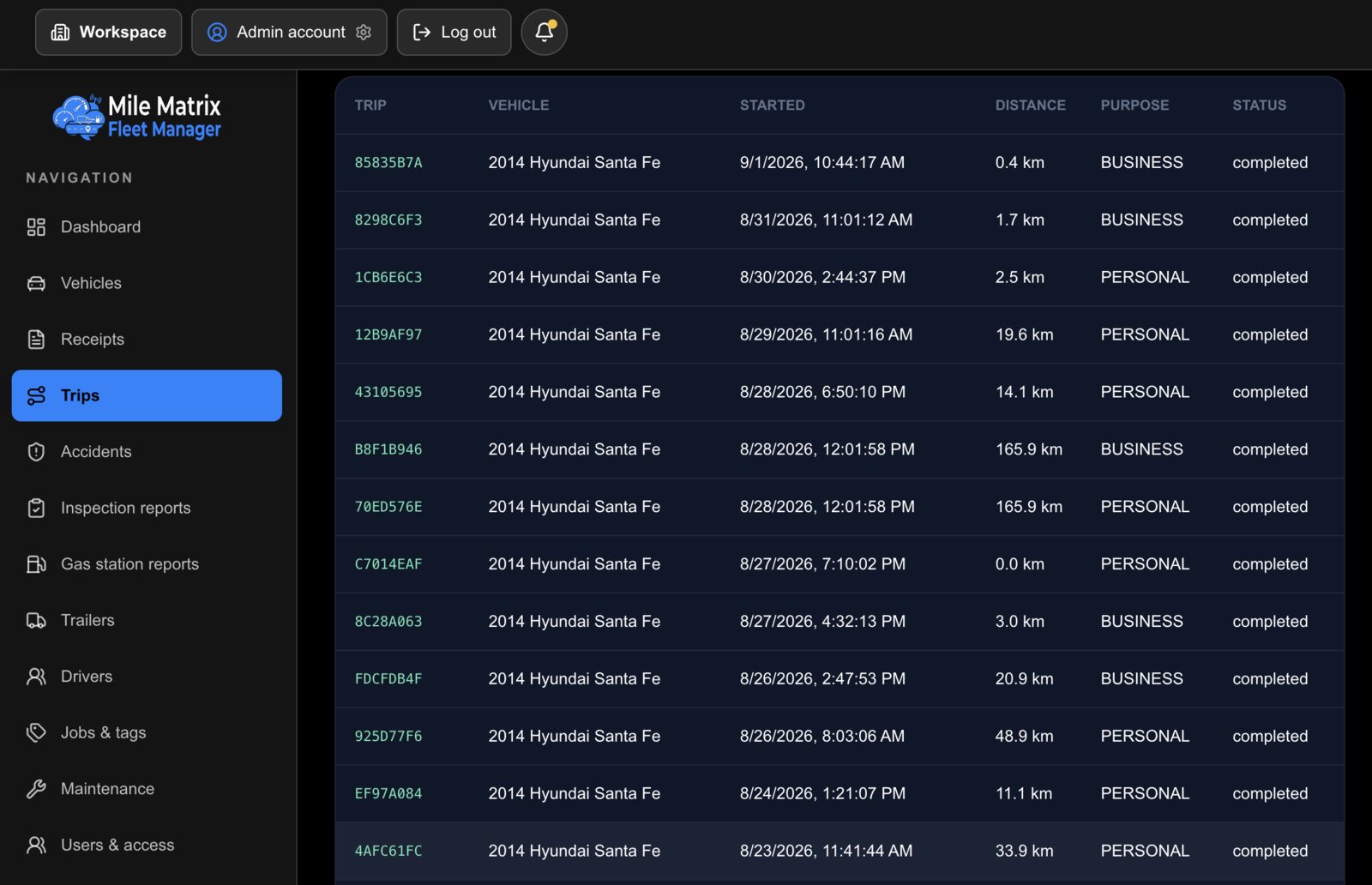
milematrix.net/trips
The Fleet Manager trips table listing trip IDs, vehicles, start times, distances, purposes, and status

MileMatrix is coming to the App Store.

It is being finished for iOS 17 and later. Email us and we will tell you the day it goes live.

Coming soon to the App Store