Languages, from English and Français to Nederlands.
8
Regions covered for VIN decoding and open recall checks.
0
Photos or trip data sent to a server for processing.
Open it, and it has already done the thinking.
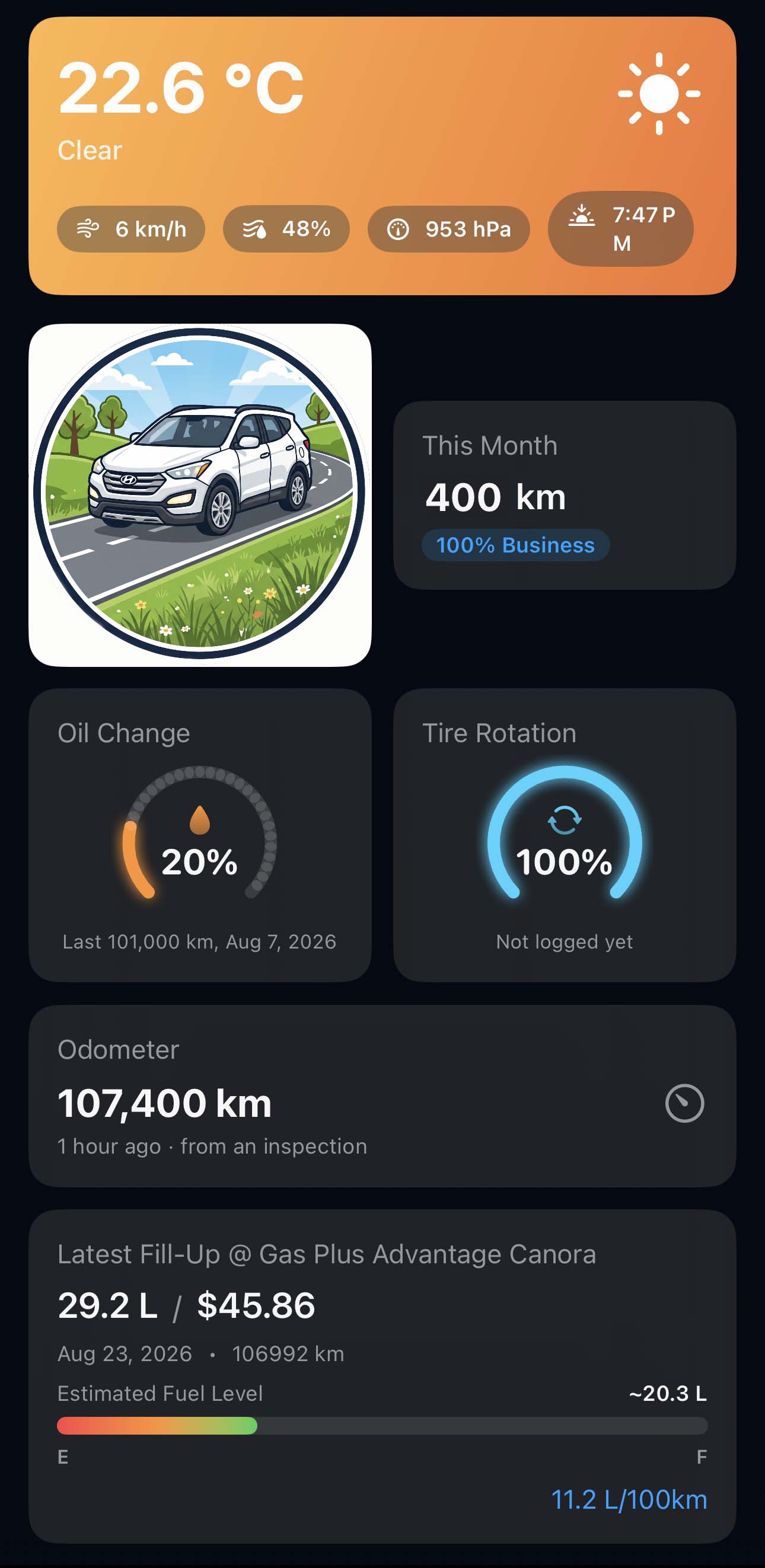
The home screen is a status board for one vehicle. Nothing here was typed in on purpose; every figure is a by-product of driving, filling up, and filing the odd report.
Distance this month
Totalled from the trips that recorded themselves, with the share you tagged as business alongside it.
Service intervals
Oil change and tire rotation as a percentage of life left, worked out against the odometer rather than a date in a calendar.
One vehicle at a time
The selector at the top decides whose board this is. Switch it and every gauge, reading, and total on the screen follows.
An odometer that keeps itself current
Updated from the readings on your fill-ups and inspection reports, with the source and the time it came from. Tap it to correct the number or read the whole history of how it changed.
Estimated fuel remaining
How much is likely left in the tank, from your last fill-up and the distance driven since. An estimate, not a sender unit, but usually closer than the guess you were making.
Latest fill-up
Volume, cost, station, and the economy that tank actually returned, which is the number the rest of the app is built around.
How it fits together
An app that stands alone, and a dashboard when you need one.
Most people never need more than the app. Run a business or a household with several drivers and the second half starts to matter.
MileMatrix
The app in the vehicle
Runs on the driver's phone. Detects trips, scans receipts, tracks fuel economy, and keeps the whole history on the device.
Works on its own with no account and no fleet behind it
Backs up to your own Google Sheets and Drive
One driver, one phone, as many vehicles as you own
iPhone, iOS 17+Android planned
The dashboard over the fleet
Optional. Every phone running MileMatrix reports into one web workspace, so a manager or a parent sees all the vehicles in one place.
Pulls trips, receipts, maintenance, and inspections from every connected phone
Vehicles, drivers, trailers, jobs, and recalls in one roster
Shared access, so records are not trapped on one person's phone
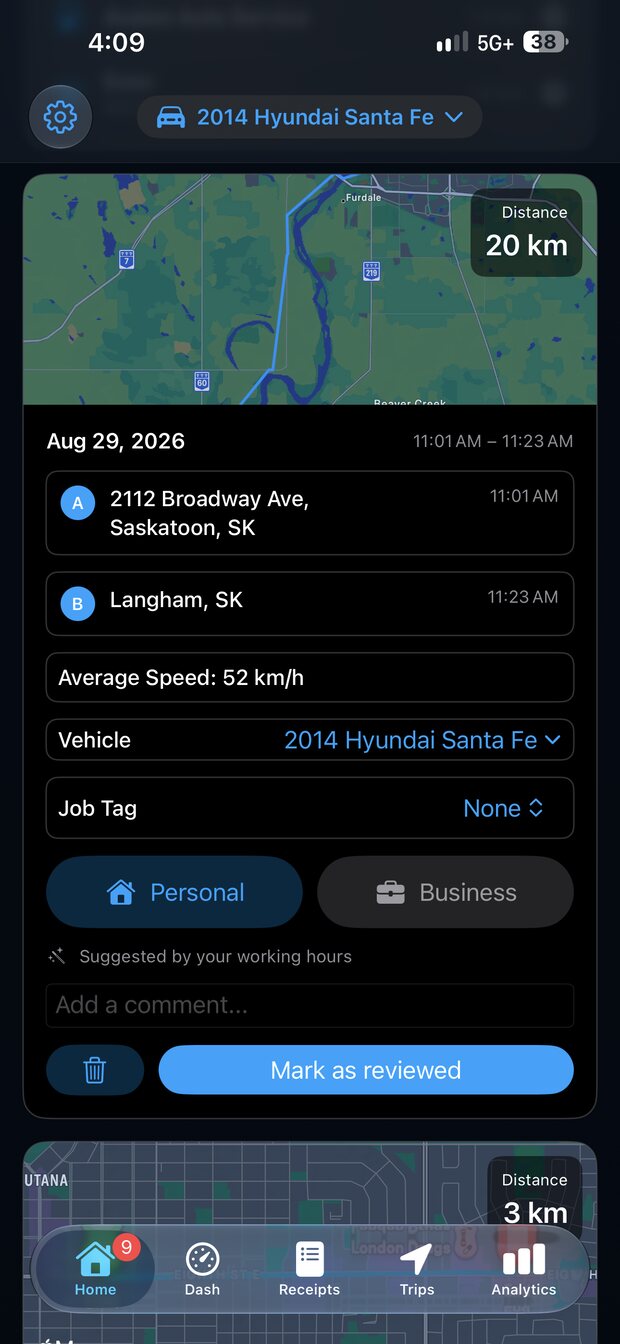
MileMatrix notices when you begin driving and records the trip on its own. Then it asks one question: was that business or personal?
Drive detection runs on device using Apple's motion activity, not a manual timer.
Classify each trip as Business, Personal, Medical, or Charity in one tap.
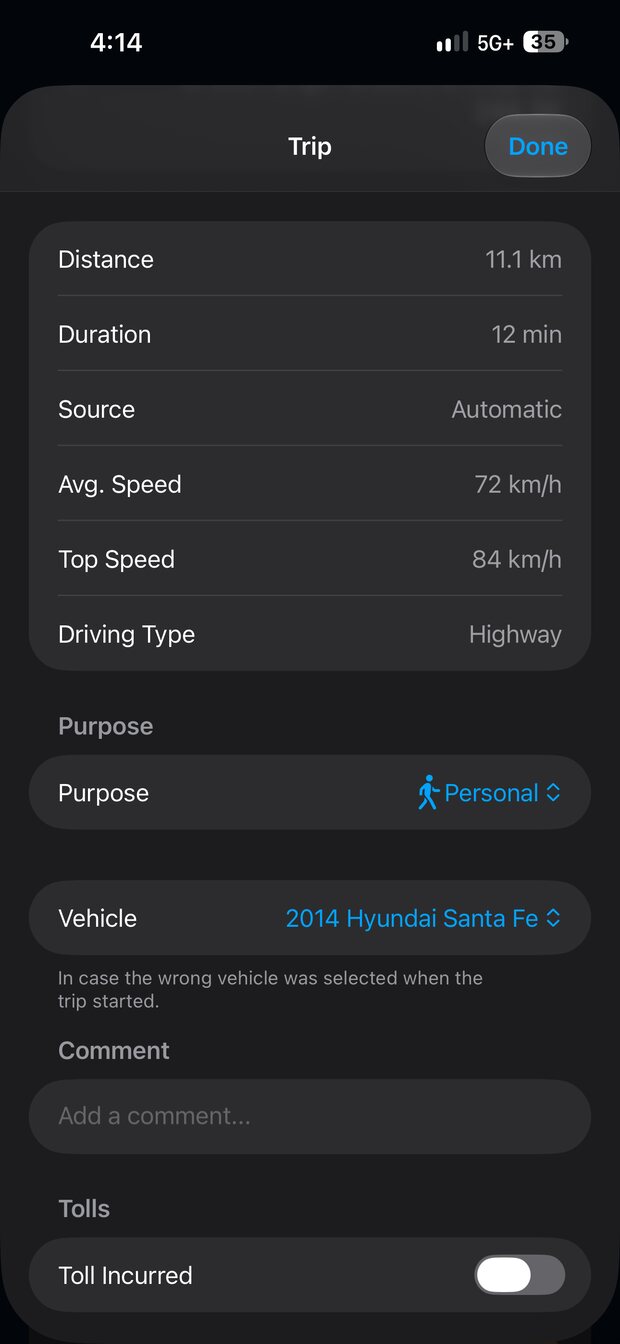
Distance, duration, average and top speed, road type, and weather captured per trip.
A suggestion based on your working hours, which you can always overrule.
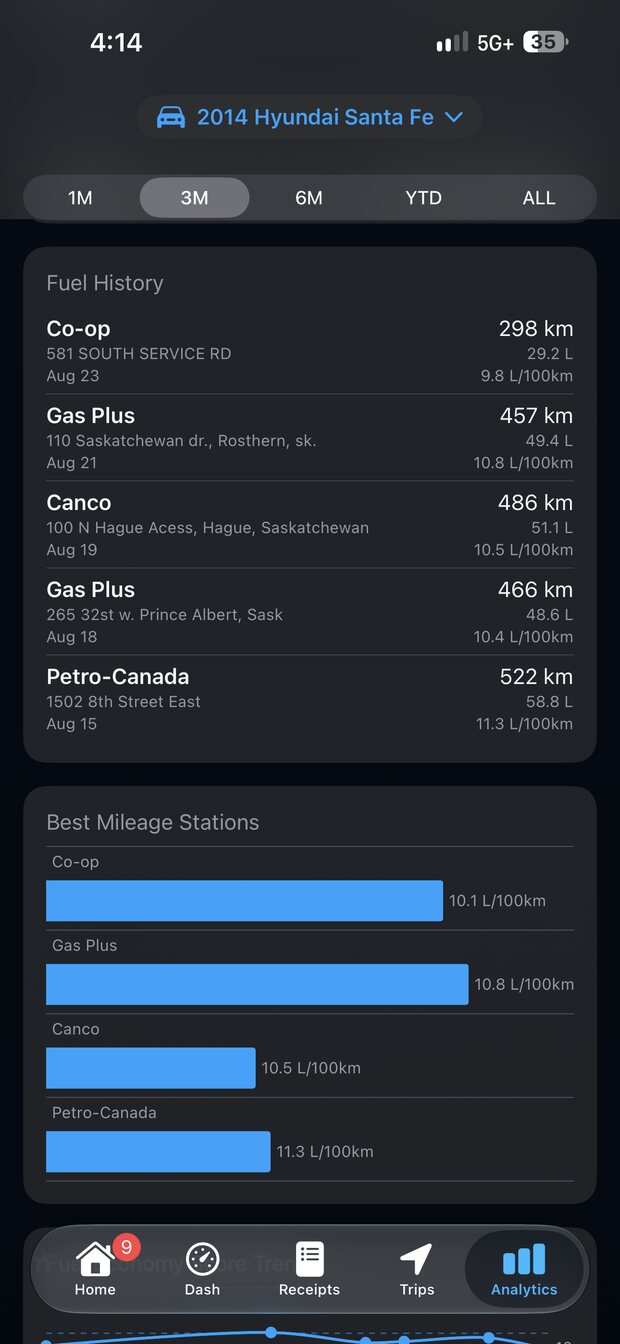
Not every tank goes the same distance.
MileMatrix exists because of one nagging question: does the station you buy from actually change your mileage? Every fill-up measures the distance that tank covered, so the answer stops being a hunch.
Distance per tank measured from odometer to odometer, fill-up to fill-up.
Economy worked out per station, so the places you buy from can be ranked.
Price per unit stored on every fill, so cheap fuel that costs you distance shows up.
Compare what you actually get against the figure the manufacturer quotes.
A sudden drop is also an early warning that something is wrong with the vehicle.
The parts that usually get skipped.
Receipts, unit conversions, and hands-free entry are where mileage logs fall apart. These three exist so yours does not.
Point the camera at the receipt
MileMatrix reads the total, the price per unit, and the volume off a gas receipt, and pulls the reading off your odometer the same way. Text recognition happens on the phone, so the photo never leaves it. Check the numbers, correct anything the paper smudged, and save.
Say it to Siri
Log a fill-up from the pump without unlocking anything. Siri reads the amount back to you and waits for a yes before it writes.
One app, every vehicle, both measurement systems
Each vehicle carries its own units. The truck can run in miles and US gallons while the car runs in kilometres and litres, and MileMatrix keeps the maths straight in both. If you fill up in North Dakota and drive home to Manitoba, nothing needs converting by hand.
Distance
Miles or kilometres, chosen per vehicle.
Volume
US gallons, Imperial gallons, or litres.
One record for every stop you make.
A fill-up, a service, a parking fine, a safety check. If it belongs in the vehicle's history, it goes in here.
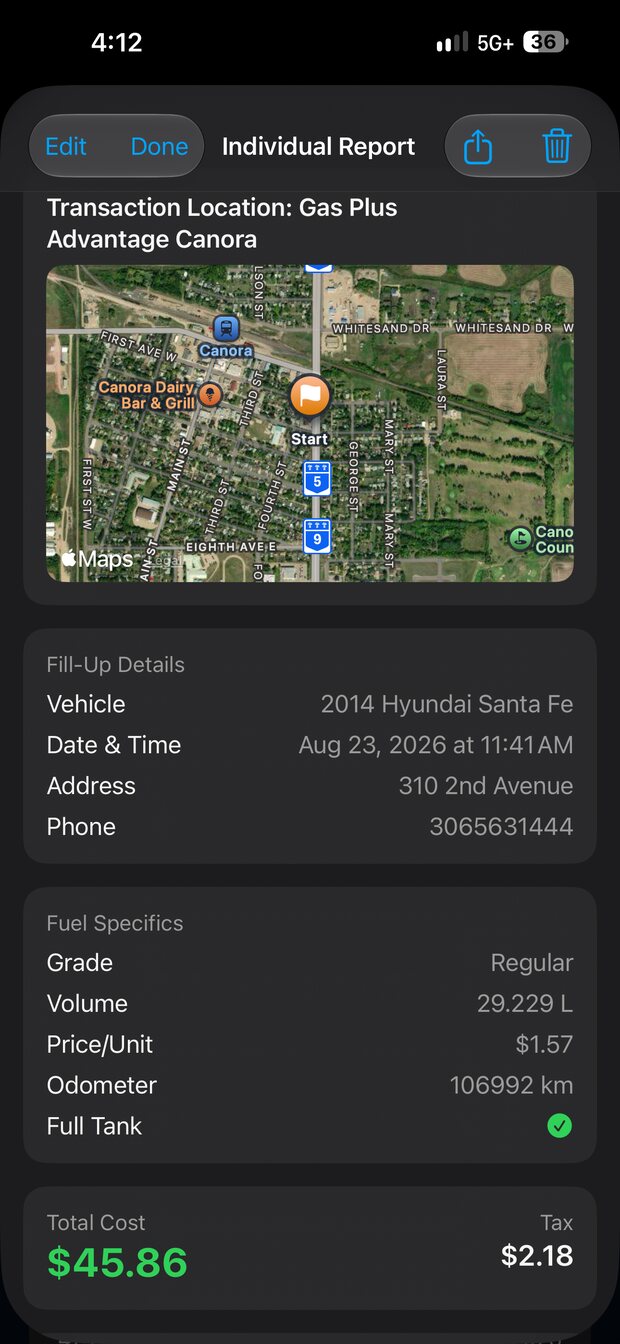
Fill-up detailStation, volume, price per unit, odometer, and tax, with the location it was bought at.
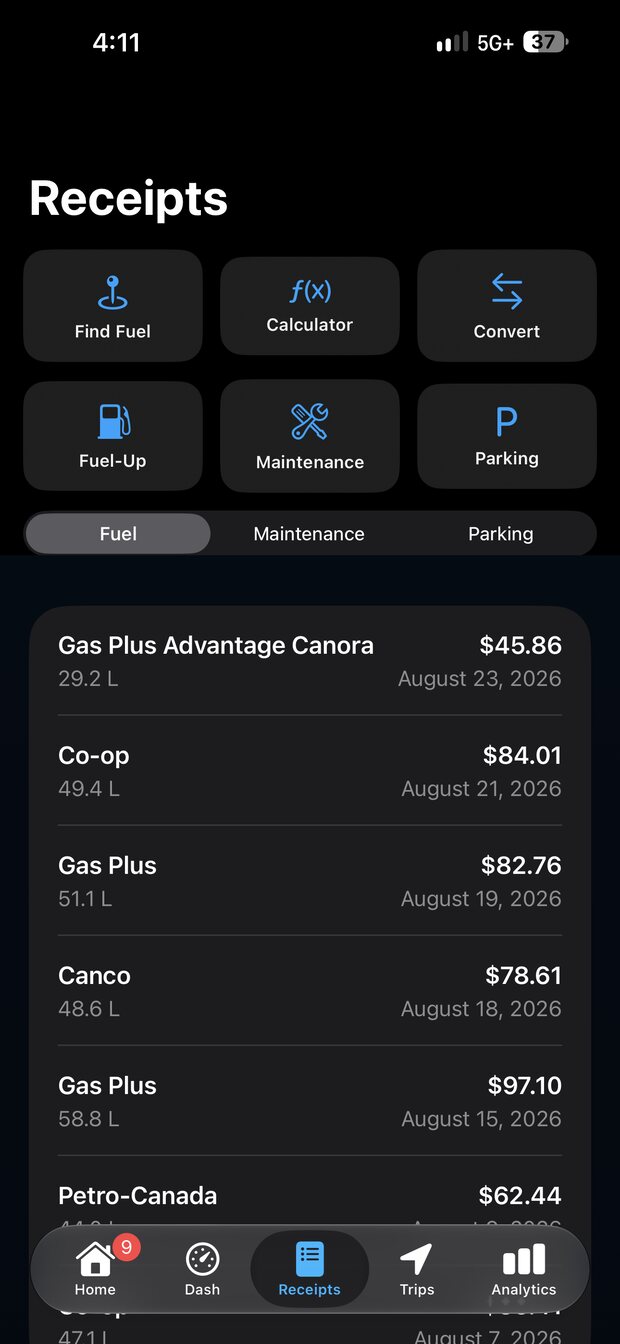
Receipt logFuel, maintenance, and parking receipts in one list per vehicle.
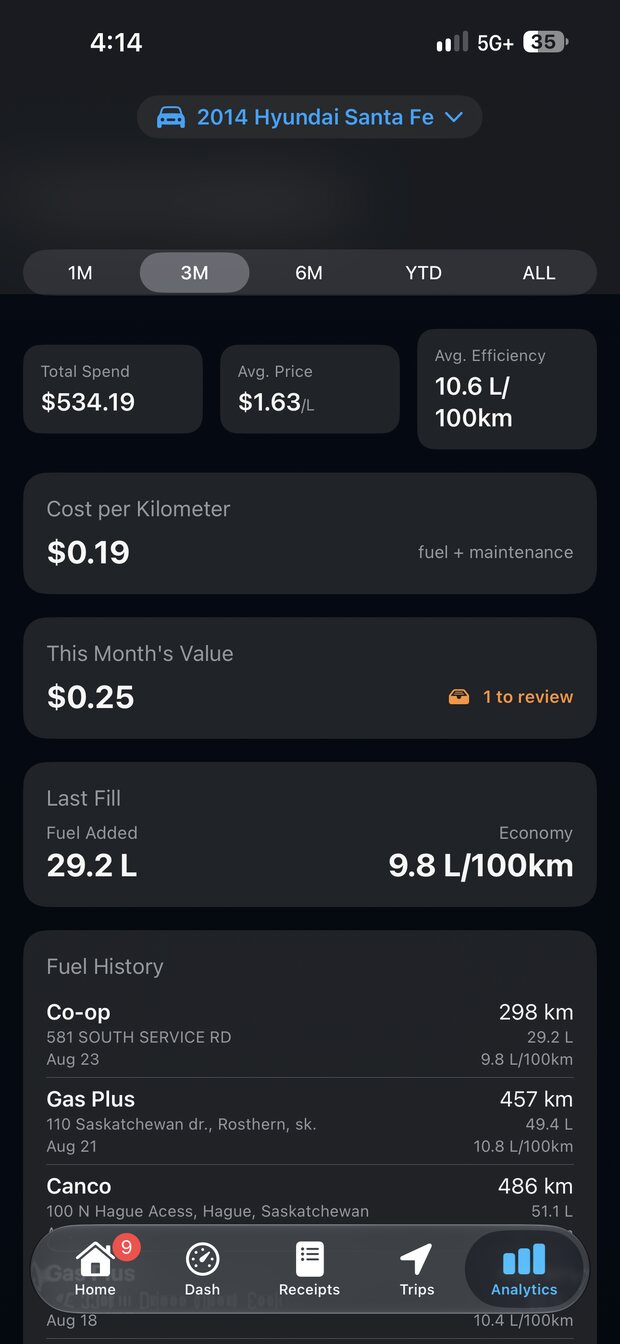
Cost analyticsSpend, average price, efficiency, and a real cost per kilometre.
Trip detailSpeeds, road type, and the weather each drive happened in.
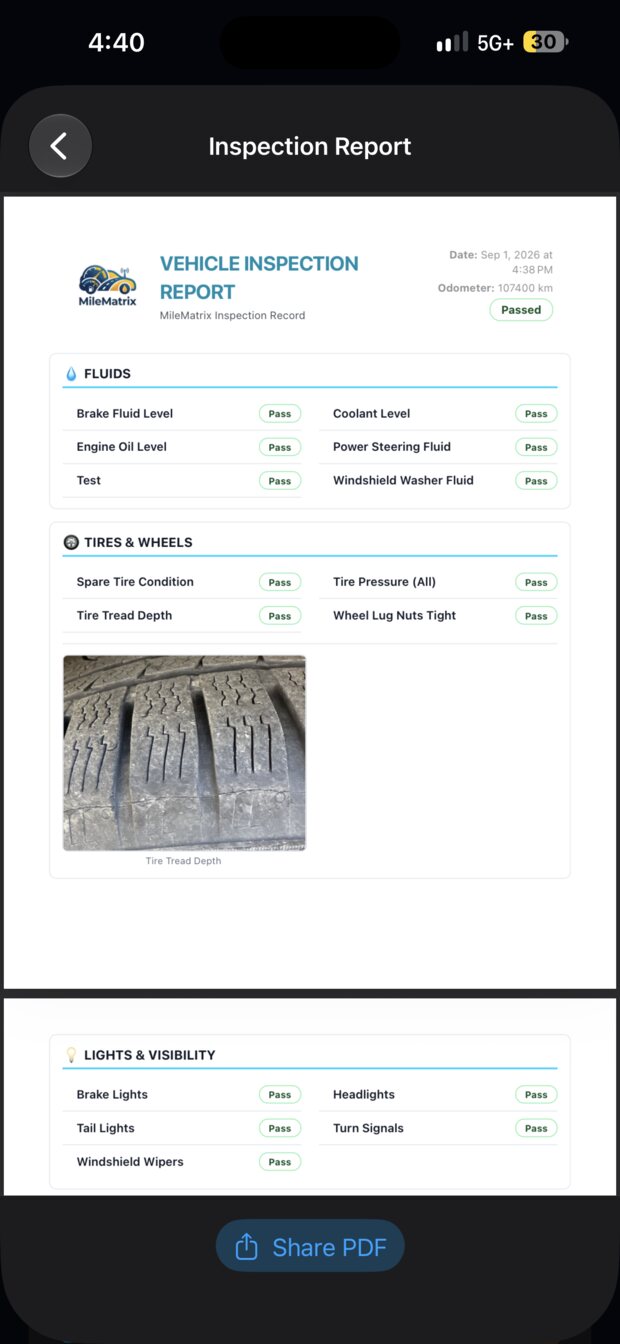
Inspection reportA pass or fail walkaround you can share as a PDF.
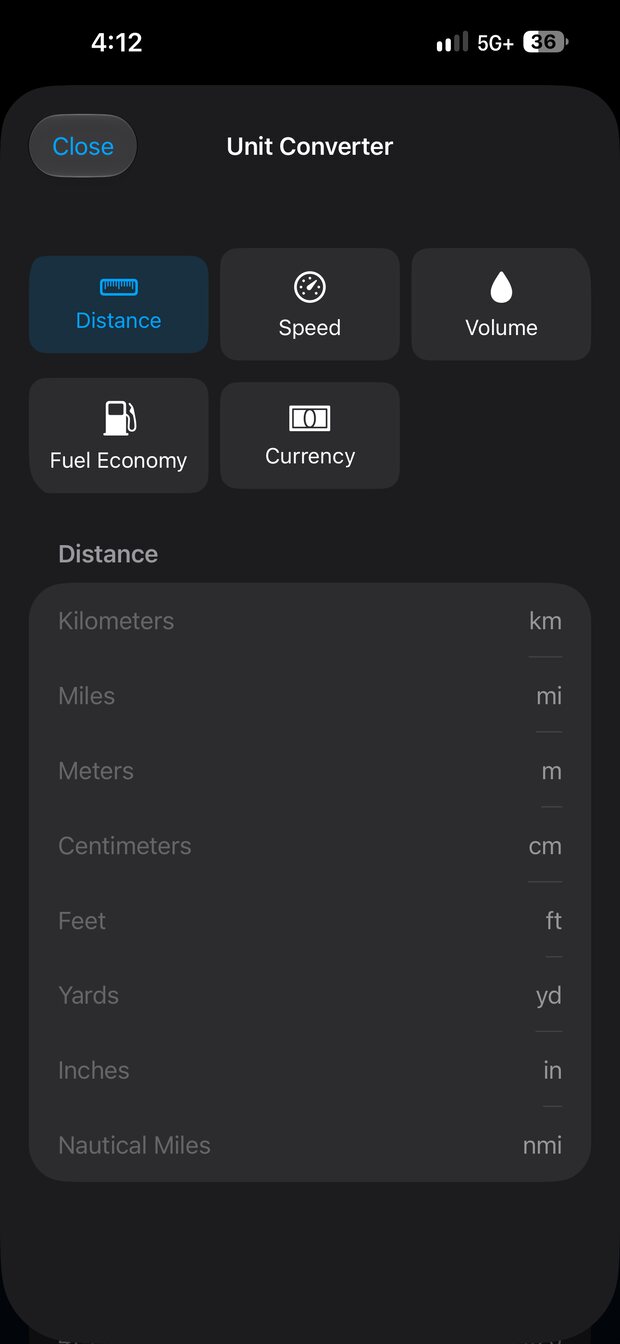
Unit converterDistance, speed, volume, economy, and currency, built in.
Scroll sideways for more
The glovebox, on your phone.
A vehicle is more than its trips. MileMatrix holds the paperwork and the part numbers you only ever need at the worst possible moment.
Licence, insurance, registration
Stored on the phone and ready to show or send at the roadside, when your wallet is somewhere else.
Accident reporting
A guided way to gather what an insurer will ask for while you are still at the scene, then share the whole file as one document.
Equipment and part numbers
Tire size, battery, bulbs, and wiper blades kept per vehicle, so the parts counter question has an answer.
VIN decoding and open recalls
Decode the VIN to identify the vehicle and check for outstanding manufacturer recalls, across eight regions.
Recall lookups use each region's own manufacturer and regulator data, so a vehicle bought in one market still reports correctly in another.
The records live outside the app too.
Every vehicle gets its own Google Sheet in your account, updated as you drive and fill up, with the receipt photos backed up to Drive beside it.
A separate spreadsheet per vehicle, so one truck's log never mixes with another's.
A tab for each kind of record: fill-ups, trips, inspections, parking, accidents, maintenance, mileage.
Every fill-up row links back to the receipt photo stored in your own Drive.
Change phones and the history is already waiting in your Google account.
docs.google.com/spreadsheets
One spreadsheet per vehicle, with a tab per record type. Open it in Sheets, download it as CSV, or share it straight with a bookkeeper.
Made to stay open while you drive.
A mileage log you have to remember to open is a mileage log you stop using. So there are reasons to leave it running: a dashboard worth glancing at, radio worth listening to, and a look you picked yourself.
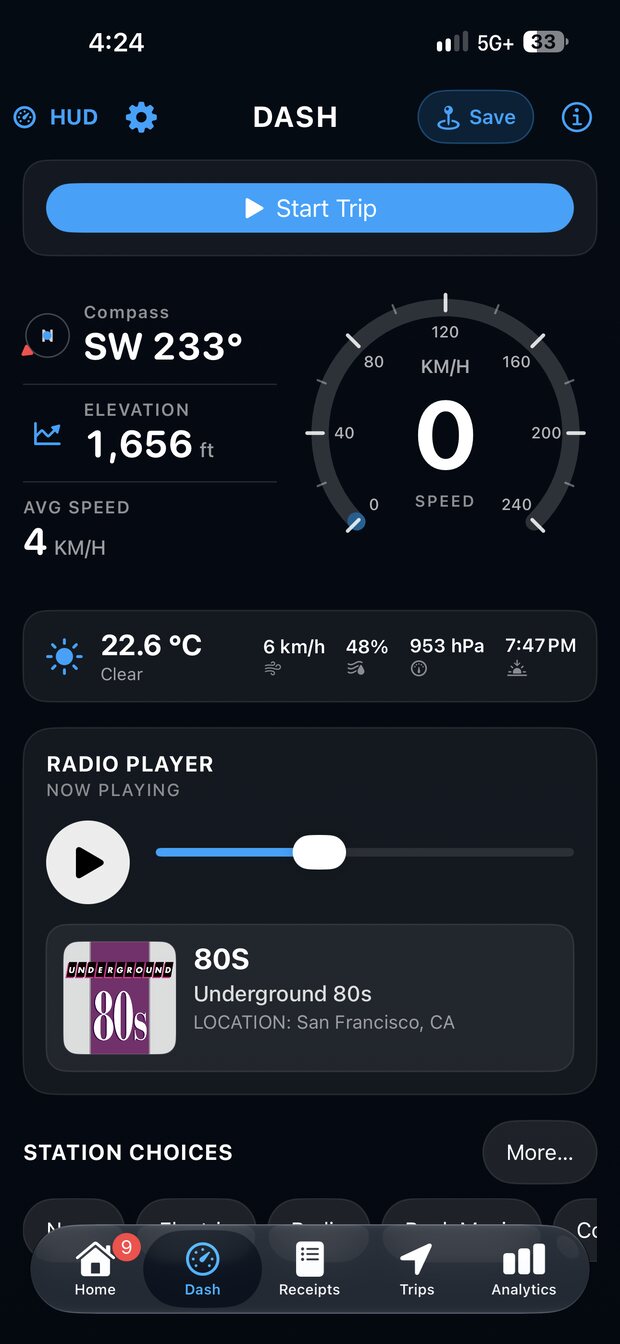
Radio, built into the dashboard
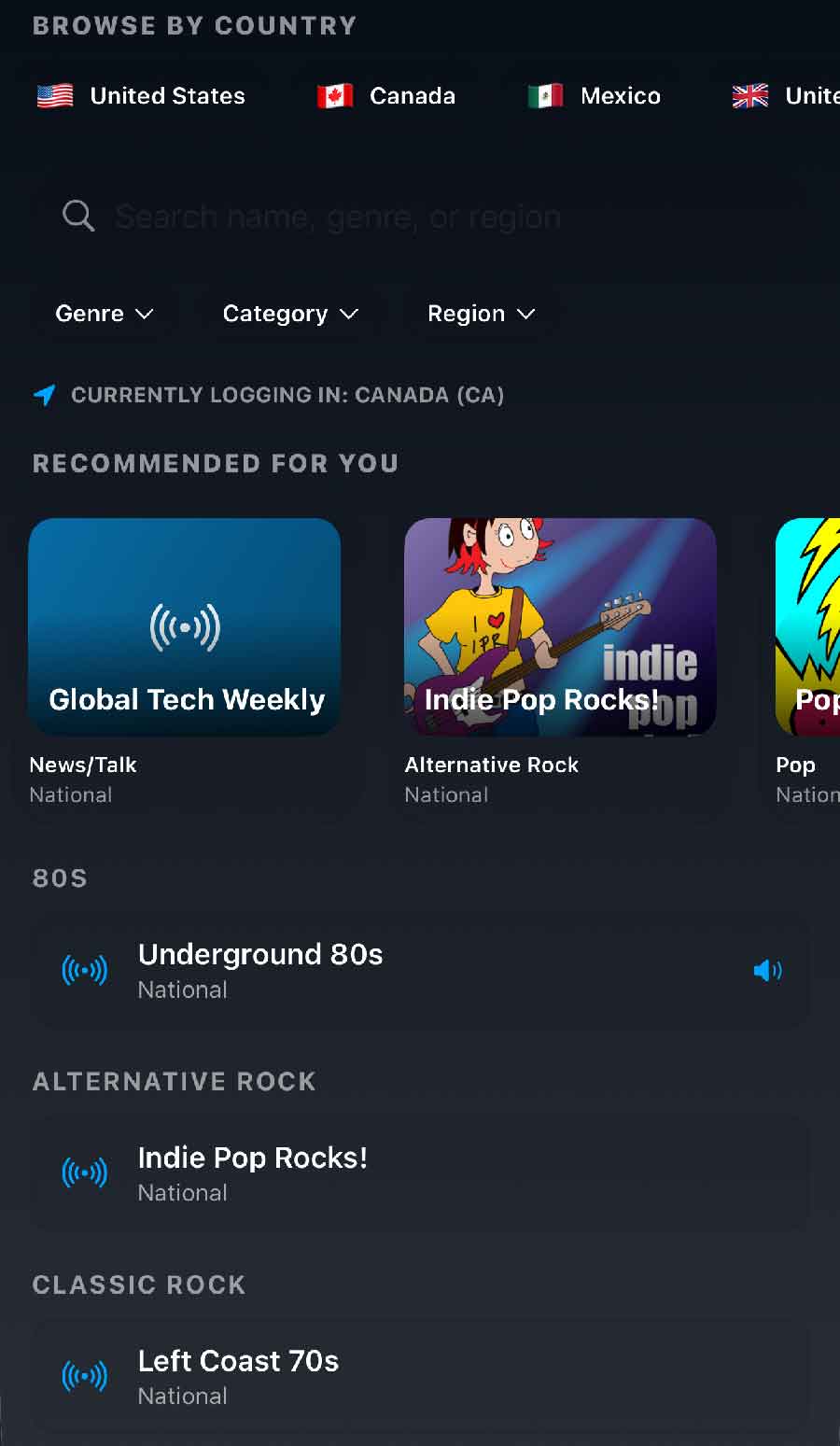
Browse stations by country, genre, region, or name, with recommendations for wherever you happen to be logged in. The countries line up with the languages the app speaks, so the list makes sense wherever the truck is, and the genres run from news, talk, and sports through to music. It plays alongside the trip that is already recording itself, so there is no reason to leave the app halfway through a drive to find something to listen to.
Stations from the countries behind the languages the app speaks, starting with the United States, Canada, Mexico, and the United Kingdom.
News, talk, sports, and music, whether you want the headlines, the game, or a long stretch of songs.
Filter by genre, category, or region, or search by name.
Recommended for you, based on the country you are currently in.
Save the ones you keep coming back to as favourites, and they stay one tap from the dashboard.
It all happens in the app, so a station change never interrupts the trip that is recording.
80sAlternative RockClassic RockCountryNews and TalkSportsPop
The player sits on the Dash screen, under the speedometer and the conditions.
Seven languages
The whole app, not just the menus. Useful in a crew where not everyone reads the same one.
Name it, pick miles or kilometres, pick gallons or litres, and connect Google Sheets if you want the backup.
02
Drive
Trips record themselves. Tag each one by purpose when you have a spare second, or catch up on a whole week at once.
03
Scan the receipt
Photograph the pump receipt at fill-up. MileMatrix reads the numbers, updates your real fuel economy, and files the photo.
Privacy
The processing happens on your phone, not on ours.
Reading a receipt is a camera and a text recogniser working locally. Detecting that you started driving is an Apple motion API working locally. Neither one needs a server, so MileMatrix does not use one for them.
On-device recognition
Receipt and odometer photos are read by your iPhone. No image is uploaded to us for processing.
Your Google account, not ours
Sheets and Drive sync writes into storage you own and can revoke at any time.
Fleet sync is opt in
Nothing reaches a Fleet Manager workspace unless a driver connects their phone to one.
 MileMatrix